
Music Production
Best Audio Interface Under 200 for House Producers
Nov
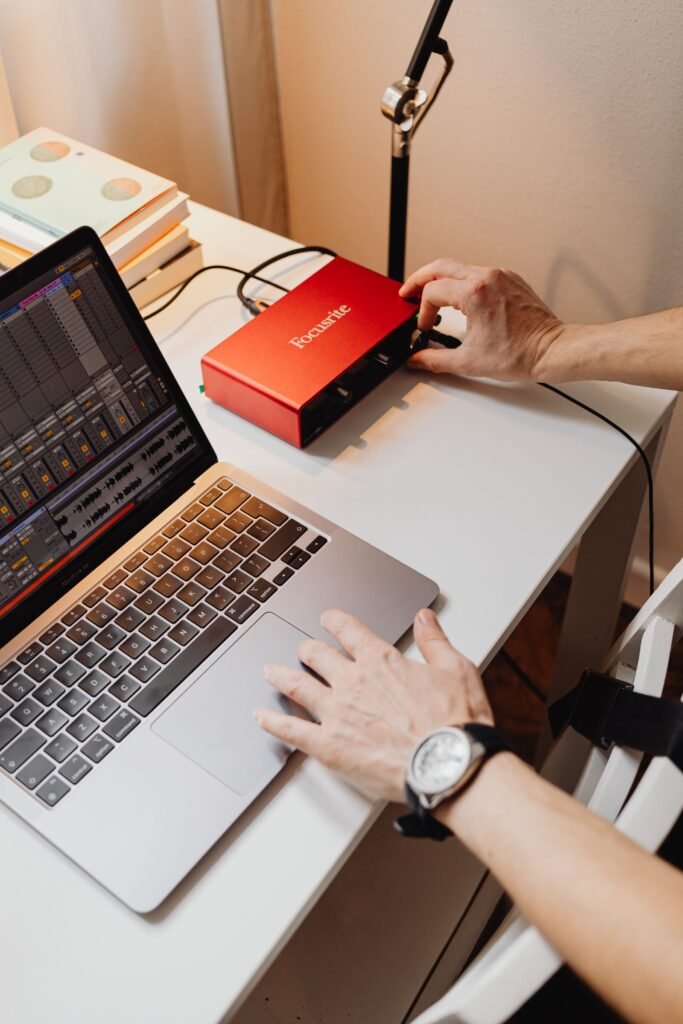
Short answer first: if you make house music in the box and only record the odd vocal or synth, the best audio interface under 200 dollars for most people is the Audient EVO 4, with the Focusrite Scarlett 2i2 4th Gen right behind it. Below I explain why, where the other contenders win, and which specs actually matter when your tracks live inside Ableton or FL Studio.
Prices here are US street or list prices checked in October 2026. They move with sales, so treat them as a guide rather than a promise.
What a House Producer Really Needs From an Interface
Most interface reviews are written for guitarists and podcasters. A house producer’s priorities are different. You spend 90% of your time listening, not recording, so the parts that matter most are on the output side.
- Clean monitor outputs. Two balanced 1/4″ outs for your speakers. This is where you judge kick and bass balance, so the converter quality matters more than the preamps.
- A loud, clean headphone output. Late-night sessions happen on headphones. A weak headphone amp makes subs sound thinner than they are.
- Stable low-latency drivers. If you play basslines or chords in from a keyboard, anything that feels laggy kills the groove. Solid drivers matter more than spec-sheet sample rates.
- Two inputs if you sample hardware. A stereo synth or drum machine needs two line inputs. One input is fine if you only record vocals.
- Loopback, if you stream or sample from the browser. Loopback lets you record what the computer is playing, handy for grabbing a YouTube reference or streaming a set.
Notice what is missing: 192 kHz recording. House is mixed and released at 44.1 or 48 kHz almost everywhere. Higher rates cost CPU and rarely change what you hear on a club system.
🎛️ Best Audio Interface Under 200: Quick Comparison
| Interface | Approx. US price | Inputs | Why house producers pick it |
|---|---|---|---|
| Audient EVO 4 | $179 | 2 combo | Simple, solid sound, loopback built in |
| Focusrite Scarlett 2i2 4th Gen | $199.99 | 2 combo | 69 dB gain, Auto Gain, Clip Safe |
| Focusrite Scarlett Solo 4th Gen | $139.99 | 1 mic + 1 instrument/line | Cheapest serious option |
| Universal Audio Volt 2 | About $180 to $190 | 2 combo | Vintage tube-style preamp mode |
| MOTU M2 | About $200 | 2 combo | ESS Sabre32 converters, LCD metering |
The Five Picks, in Detail
Each of these could be the best audio interface under 200 for someone. The difference is what you record and how you listen.
Audient EVO 4: the one I would buy first
Sweetwater lists the EVO 4 at $179. It has two combo inputs, two balanced outputs and a headphone jack, all run from one big central dial. MusicRadar named it the best overall interface in its under-$200 roundup, and it is easy to see why: there is almost nothing to learn. The loopback function is useful if you ever stream a DJ set or resample audio from your browser.
For house, the main appeal is that the outputs sound neutral and the unit stays out of your way. If you want the best audio interface under 200 for a laptop-and-monitors setup, start here.
Focusrite Scarlett 2i2 4th Gen: the safe all-rounder
Focusrite launched the fourth-generation 2i2 at $199.99, as reported by Synthtopia at launch. The headline numbers are a 120 dB dynamic range from converters derived from Focusrite’s RedNet range, and 69 dB of preamp gain. Auto Gain sets your input level for you, and Clip Safe drops the gain if a singer suddenly belts a line.
If you record more vocals than average, for example toplines for soulful or vocal house, the 2i2 edges the EVO 4. Its Air mode also adds a bit of presence that suits vocals sitting over busy chords.
Focusrite Scarlett Solo 4th Gen: tight budget, no regrets
At a $139.99 launch price, the Solo gives you one mic preamp and one instrument or line input, plus the same family of converters as the bigger Scarletts. The trade-off is clear: you cannot record a stereo synth on two channels at once. For a producer who works mostly with plugins and records a vocal now and then, that is no real loss.
Spend the money you save on better headphones. Our list of budget headphones for house has a few that double as studio cans.
Universal Audio Volt 2: character on the way in
The Volt 2 sits around $180 to $190 depending on the retailer. Its party trick is Vintage mode, an emulation of the UA 610 tube preamp, which adds warmth to vocals and keys as you record. You also get UA’s bundled plugins, including takes on the 1176 and LA-2A compressors, according to Dubspot’s 2026 interface guide. There is no onboard DSP, so plugins run on your computer.
This is the pick for producers who record Rhodes, organ or live vocals and want them a little rounder without reaching for a saturation plugin later.
MOTU M2: the listener’s choice
The M2 sits right at about $200, so it only just qualifies. What you get for that is ESS Sabre32 Ultra converters with a 120 dB output dynamic range, proper LCD level meters and USB-C bus power. Of all five, it is the one I would choose for the clearest view of low end on monitors. If your mixes keep translating badly from bedroom to club, better converters and accurate monitoring help more than any new plugin.
How to Choose the Best Audio Interface Under 200 for Your Studio
There is no single best audio interface under 200 for everyone, so match the box to how you actually work:
- Mostly plugins, occasional vocal: Scarlett Solo or EVO 4.
- Hardware synths or drum machines: anything with two inputs; EVO 4 or Scarlett 2i2.
- Lots of vocals and live keys: Volt 2 for warmth, 2i2 for clean gain.
- Mixing focus, critical listening: MOTU M2.
- Streaming DJ sets as well as producing: pick a unit with loopback, such as the EVO 4 or M2.
Whichever you choose, plug in a controller keyboard over USB, not through the interface. Our guide to MIDI keyboards for house covers that side of the desk.
🔧 Setup Tips That Matter More Than the Brand
Even the best audio interface under 200 will sound bad if the setup is wrong. These are the fixes I see most often:
- Set the buffer to the task. Use 64 or 128 samples while you play parts in, then raise it to 512 or 1,024 when you mix with heavy plugins.
- Run 48 kHz and leave it. Switching sample rates between projects is a common source of clicks and pitch mismatches.
- Use balanced cables to the monitors. TRS to XLR or TRS to TRS. Unbalanced leads pick up hum, especially near a laptop charger.
- Gain stage on the way in. Aim for peaks around -12 dBFS when recording. You can always add level later; you cannot remove clipping.
- Check your DAW’s driver setting. On Windows, choose the manufacturer’s ASIO driver, not a generic one. In Ableton or FL Studio this is in the audio preferences; see our Ableton vs FL Studio comparison if you are still deciding on a DAW.
Once that is sorted, your interface becomes invisible, which is exactly what you want. The real work is in the groove: sidechain, bass and arrangement. If your low end still pumps the wrong way, read our sidechain compression guide for house.
Audio Interface FAQ for House Producers
Is a $100 to $200 interface good enough for releasing music?
Yes. Converter quality at this level is far beyond what limits most home mixes. Room acoustics, monitoring and your own ears make a much bigger difference to a release than the jump from a $180 interface to a $600 one.
What is the best audio interface under 200 for recording vocals?
The Scarlett 2i2 4th Gen is the easiest for clean vocals thanks to 69 dB of gain, Auto Gain and Clip Safe. If you want more color as you record, the Universal Audio Volt 2’s Vintage mode is the alternative.
Do I need an audio interface if I only use plugins?
You can produce on built-in audio, but an interface gives you lower latency, balanced outputs for monitors and a better headphone amp. Even a one-input model like the Scarlett Solo is a real upgrade for judging kick and bass.
